Definition
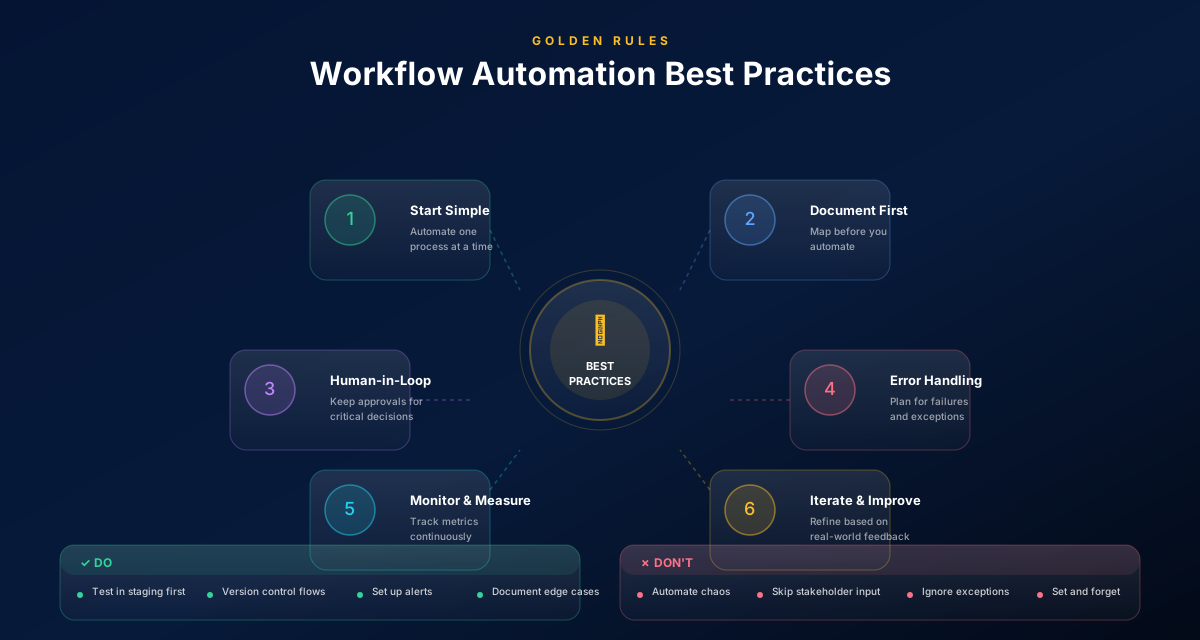
Workflow automation best practices are design and governance patterns that keep workflows reliable as reality changes. They include explicit approvals, exception paths, clear ownership, logging/audit trails, and an incremental rollout strategy so automations improve operations without creating brittle scripts.
- Start with a single workflow and expand after stability.
- Model exceptions explicitly (missing data, rejections, timeouts).
- Keep humans in the loop for high-stakes decisions.
- Govern workflows with ownership, versioning, and audit trails.
- Measure impact with cycle time, exception rate, and rework.
1) Start small: one workflow, one owner, one KPI
The fastest path to value is a focused pilot.
Pick one workflow with:
- frequent execution
- measurable pain (delays, errors, compliance risk)
- clear outcomes
Assign an owner and define one KPI (cycle time is a great default). Then improve and automate incrementally.
Insight
Most automation failures are scope failures. A workflow that tries to cover everything will cover nothing well.
2) Design for exceptions (because exceptions are the work)
Your workflow should answer: “What happens when this goes wrong?”
Model these exceptions explicitly:
- required data is missing
- an approver rejects
- a system is unavailable
- someone doesn’t respond
Exception handling is what earns trust. Without it, teams route exceptions through side channels and the workflow drifts.
3) Make approvals first-class
Approvals are not just a checkbox — they are governance.
Best practices:
- model approvals as explicit steps
- define who approves (role-based routing)
- define what happens on rejection
- log decisions (who/when/why)
Approvals are also your safety net while you expand automation.
Use approvals as a ramp
When you automate a new step, add an approval first. Once the pattern is stable, you can reduce friction by removing or narrowing approvals.
4) Governance: versioning, audit trails, and review cadence
A workflow is a living asset.
To prevent drift:
- track versions and changes
- log execution history
- assign an owner
- set a review cadence (quarterly is a good default)
Governance turns automation into a durable operational system.
5) Rollout: pilot → expand → standardize
A safe rollout pattern:
- Pilot: run with approvals and visibility
- Stabilize: fix exceptions and edge cases
- Expand: automate additional steps
- Standardize: publish SOPs and train teams
- Scale: repeat the pattern across processes
This is how teams scale without creating brittle automation debt.
Common mistakes to avoid
Learn from others so you don't repeat the same pitfalls.
Automating without exception paths
Reality breaks the workflow instantly.
Model top exceptions and define ownership for handling them.
No audit trail
You can’t explain what happened (or prove compliance).
Log approvals, decisions, and changes by default.
Big-bang rollout
Trust drops when the workflow fails early.
Pilot with approvals, stabilize, then expand.
Take action
Your action checklist
Apply what you've learned with this practical checklist.
Pick one workflow and baseline cycle time
Add explicit approval steps
Model top 2–3 exceptions
Define escalation rules
Assign an owner and review cadence
Track cycle time, exception rate, rework